Tableside order entry
Build the order while speaking with the guest, keeping table and service context attached from the beginning.
 Retopos
Mobile waiter ordering
The Retopos waiter app keeps menus, modifiers, tables, kitchen routing, and order status close at hand so staff can spend more time serving guests.
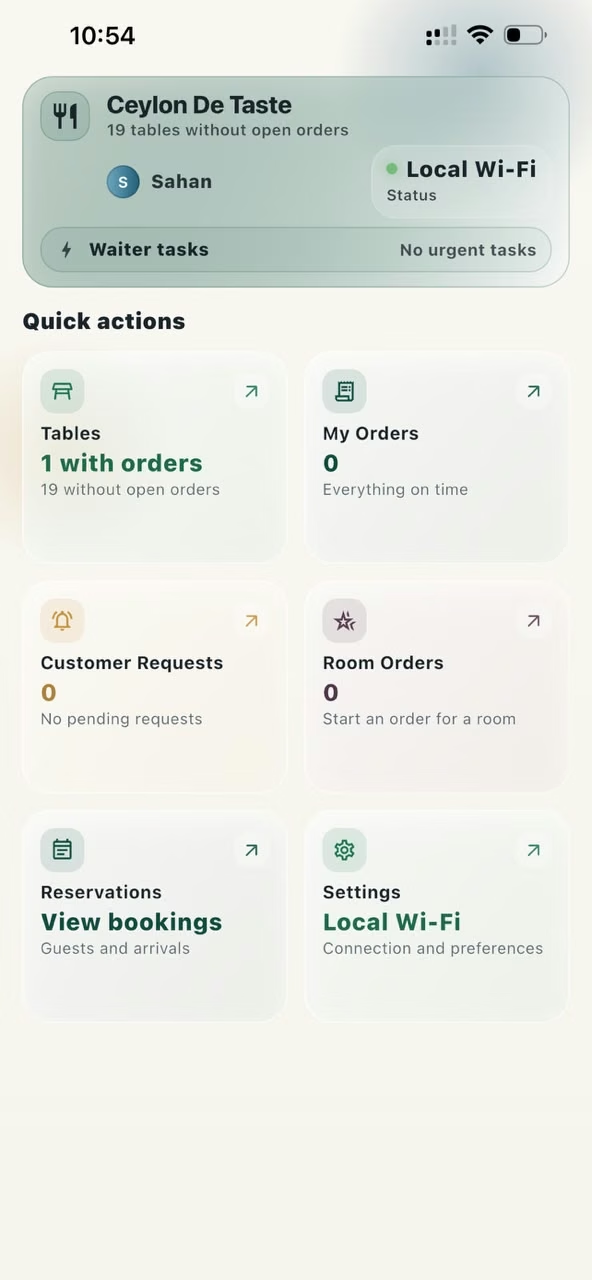
Built for the restaurant floor
Capture the right table, items, quantities, and guest preferences once, then share that information with the people preparing, billing, and supervising the order.
Build the order while speaking with the guest, keeping table and service context attached from the beginning.
Select item options and capture preparation details clearly before the order reaches the kitchen team.
Send confirmed items into the connected preparation workflow without returning to a fixed terminal or rewriting a ticket.
Keep active orders organized by their table so staff can understand where each request belongs during a busy service.
Follow preparation status and identify delayed items before the guest needs to ask for an update.
Keep ordered items available to the cashier and management workflow for billing, review, and reporting.
Reliable local service
Retopos is designed around an offline-first local restaurant workflow. Waiter, cashier, kitchen, and manager screens can remain part of the same venue operation while hosted services reconnect when internet access is available.
How the waiter app works
The waiter starts with the correct table and sees the service context for the new or existing order.
Menu choices, quantities, modifiers, and relevant preparation notes are captured beside the guest.
Confirmed items route to the appropriate kitchen workflow while the order remains visible to the restaurant team.
Staff track progress, add further items when requested, and keep the order ready for cashier completion.
Useful for every service style
Manage courses, preferences, repeat orders, and busy table sections without repeatedly returning to the cashier station.
Capture fast-moving orders and modifications while keeping the counter and preparation teams informed.
Coordinate restaurant tables and hospitality service using the same connected operational platform.
Waiter app questions
Yes. The waiter workflow supports selecting item choices and capturing the details needed by the preparation team.
Confirmed orders can route into the connected kitchen process without requiring the waiter to rewrite or re-enter the ticket.
Yes. Waiters can continue serving the table by adding further requested items within the connected order flow.
Yes. The waiter experience is part of the Retopos platform, keeping ordered items available to connected cashier and management workflows.
Connect tableside ordering with your restaurant’s kitchen, cashier, and management workflow.